You applied to 50 jobs. You heard back from zero. Before you question your qualifications, here is the hard truth — your resume may not have been read by a single human being.
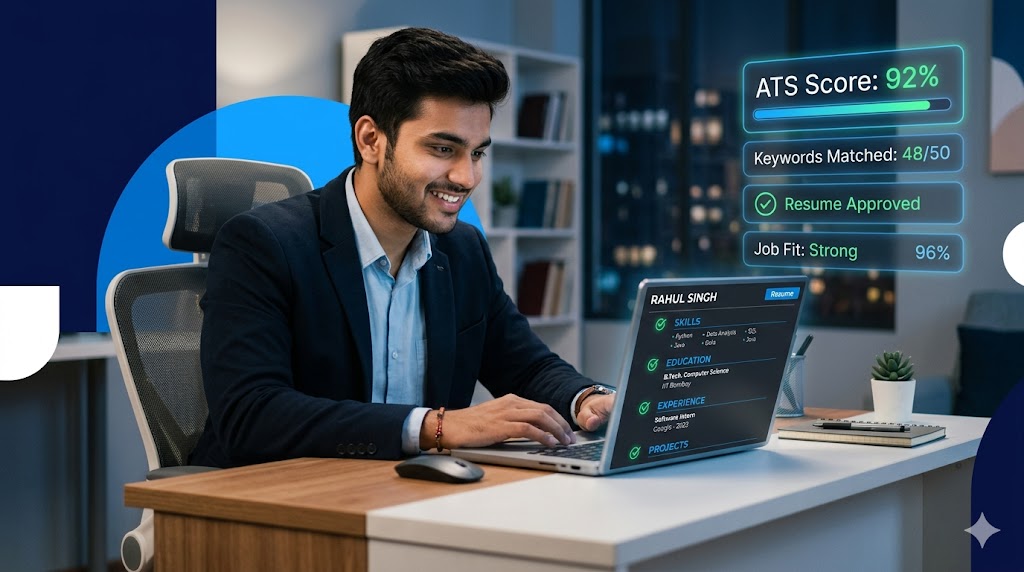
In today’s hiring landscape, most companies use Applicant Tracking Systems (ATS) — software that scans, filters, and ranks resumes automatically before a recruiter ever opens them. If your resume is not ATS-friendly, it gets eliminated in seconds, no matter how talented you are.
This guide covers everything you need to know about ATS resume tips for freshers — how these systems work, what mistakes kill your chances, and exactly how to fix them.
📌 Quick Stat: Over 98% of Fortune 500 companies use ATS to screen resumes. For freshers, this is the first — and toughest — gate to pass.
Your dream job is not out of reach — your resume just needs to speak the right language. Learn ATS, and let your skills finally get the spotlight they deserve.
Table of Contents
Toggle1. What Is an ATS and How Does It Work?
An Applicant Tracking System (ATS) is software used by recruiters to manage job applications at scale. When you submit your resume online, it goes straight into the ATS — not into a recruiter’s inbox. Here is what happens step-by-step:- Your resume is parsed — the ATS extracts your name, contact details, education, skills, and experience.
- It scans for keywords that match the job description.
- It scores your resume based on relevance and format compatibility.
- Only top-scoring resumes are passed on to human recruiters.
2. Common ATS Resume Mistakes Freshers Make
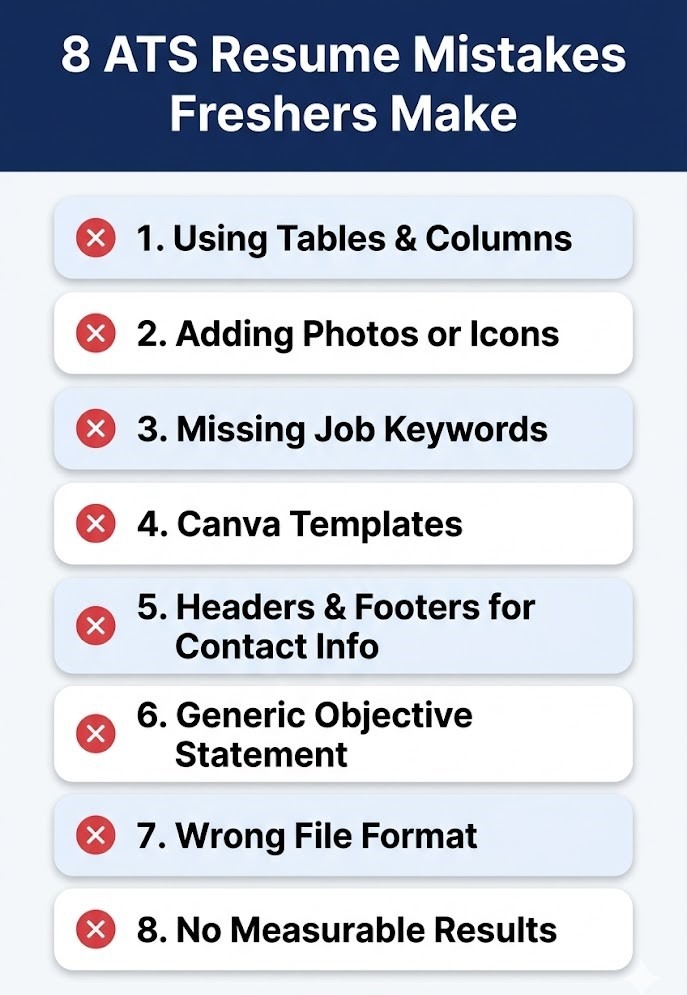
Most freshers unknowingly make resume mistakes that cause ATS rejection. Here are the biggest ones:| ❌ Mistake | 💥 Why It Hurts | ✅ Fix |
|---|---|---|
| Using tables and columns | ATS reads left to right and scrambles table data | Use single-column format |
| Fancy graphics and icons | ATS cannot parse images or decorative icons | Plain text only |
| PDF with embedded fonts | Some ATS systems cannot extract text from PDFs | Use a simple PDF or .docx |
| Missing keywords | ATS scores resumes based on keyword match rate | Mirror job description language exactly |
| Generic objective statement | Low signal to both ATS and human recruiters | Use a keyword-rich professional summary |
| Using headers/footers for contact info | ATS often ignores content inside headers and footers | Put contact info in the main body |
| Unusual section headings | ATS looks for standard section labels to parse content | Use: Experience, Education, Skills |
| No measurable achievements | ATS cannot differentiate your value from others | Add numbers and results wherever possible |
💡 Pro Tip: Always tailor your resume for each job application to maximise your ATS match score.
Rejection is not the end of your story. Most freshers fail the ATS filter — not the interview. Fix the format, beat the system, and get to the human who can say yes.
3. How to Write an ATS-Friendly Resume for Freshers
Follow this proven structure to pass ATS screening and impress human recruiters too.
Step 1: Choose the Right Format
For freshers with no experience, use a reverse-chronological or combination format. Avoid creative and infographic formats at all costs. Stick to a clean, single-column layout.
✅ Best Formats: Reverse Chronological or Combination (for freshers with internship/project experience).
Step 2: Use the Right File Type
Unless the job posting specifies otherwise, submit your resume as a .docx file. Some older ATS platforms struggle with PDFs. When in doubt, check the job listing for instructions.
Step 3: Start with a Keyword-Rich Summary
Replace the outdated ‘Objective’ section with a 2-3 line professional summary that mirrors keywords from the job description.
Example: Recent B.Tech Computer Science graduate with hands-on experience in Python, data analysis, and REST APIs. Seeking a software engineering role to apply problem-solving skills and contribute to product development.
Step 4: Match Keywords from the Job Description
This is the single most important ATS resume tip for freshers. Read the job description carefully and include the exact words and phrases they use — especially in your Skills and Experience sections.
- Job says ‘team collaboration’? Use that exact phrase.
- Job mentions ‘data visualization’? List it under skills if you have it.
- Job requires ‘REST API’? Don’t just write ‘API’ — write ‘REST API’.
Step 5: Format Your Skills Section Properly
List skills in a clean, flat format — no icons, no progress bars. Group them logically.
Example: Technical Skills: Python, Java, SQL, REST API, Git, MS Excel | Soft Skills: Team collaboration, problem-solving, time management
Step 6: Quantify Everything You Can
Numbers stand out in both ATS parsing and human reading. Even as a fresher, you can quantify results from projects, internships, or college activities.- ‘Built a web app’ → ‘Built a web app that reduced manual reporting time by 40%’
- ‘Led college fest’ → ‘Led a team of 12 to organise a 3-day fest attended by 1,500+ students’
- ‘Completed internship’ → ‘Completed 6-week internship at XYZ Corp, developing 3 full-stack features’
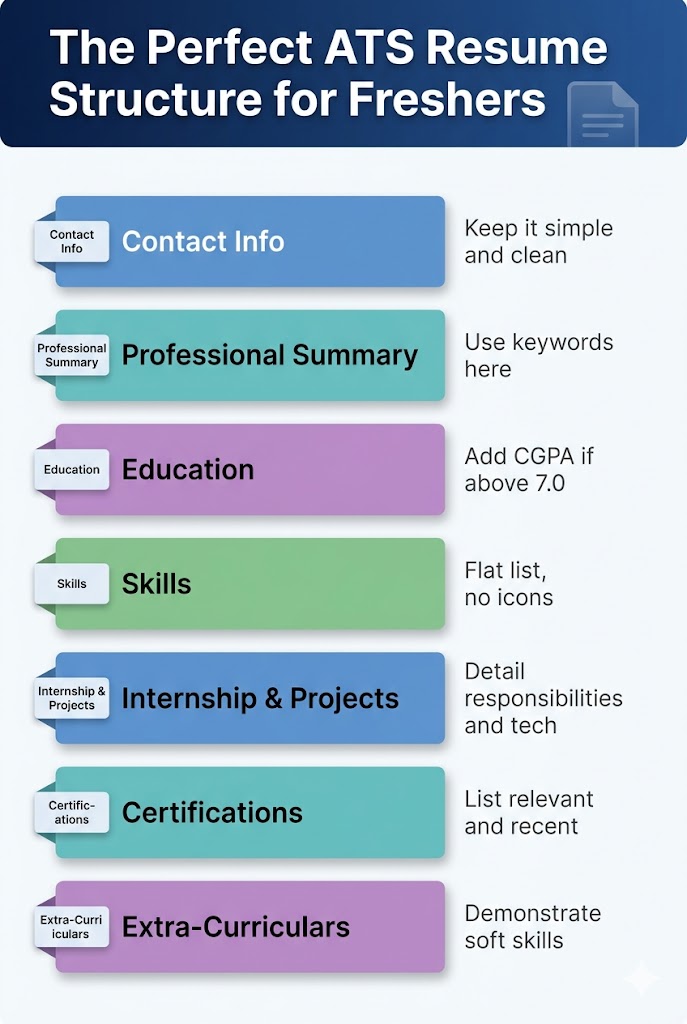
4. Best ATS-Friendly Resume Format for Freshers (Structure)
| 📋 Section | 📝 What to Include | 🎯 ATS Priority |
|---|---|---|
| Contact Info (body) | Name, phone, email, LinkedIn, city | High |
| Professional Summary | 2–3 lines with keywords from job description | Very High |
| Education | Degree, college, CGPA, graduation year | High |
| Skills | Technical & soft skills, flat list, no icons | Very High |
| Internship / Projects | Role, company/project, bullet points with numbers | High |
| Certifications | Course name, platform, year | Medium |
| Extra-Curriculars | Leadership, volunteering, clubs | Low–Medium |
💡 Pro Tip: Always place your Skills and Professional Summary near the top — these are the highest ATS-priority sections for freshers.
You worked four years for that degree. Do not let a robot reject it in four seconds. One ATS-ready resume can change everything.
5. Free ATS Resume Checkers for Students
Before you hit submit, run your resume through one of these free ATS resume checker tools to find gaps:
- Jobscan.co — matches your resume against a specific job description
- Resumeworded.com — gives a score and detailed improvement tips
- Skillsyncer.com — keyword gap analysis for free
- Rezi.ai — ATS-optimised resume builder with real-time feedback
💡 Pro Tip: Do not rely on just one checker. Run your resume through 2-3 tools and compare the feedback for the most complete picture.
6. ATS Resume Do’s and Don’ts — Quick Reference
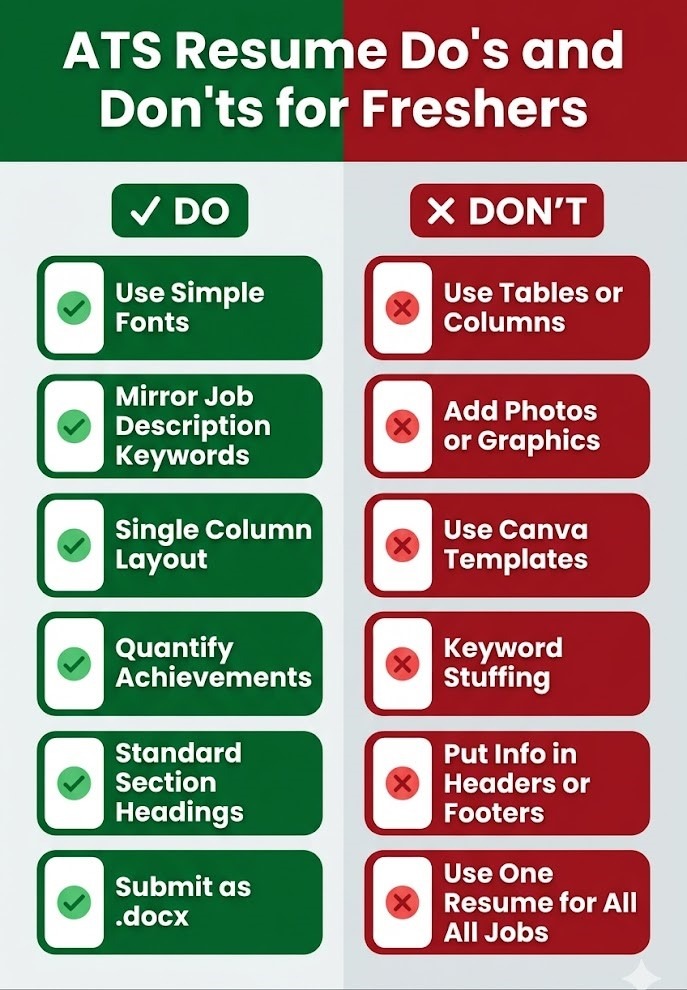
✅ DO’s
- Use standard section headings: Experience, Education, Skills, Certifications
- Mirror keywords directly from the job description
- Use simple fonts: Arial, Calibri, or Times New Roman
- Save as .docx unless PDF is specified
- Keep resume to 1 page (freshers) or 2 pages (2+ years experience)
- Use bullet points in Experience/Project sections
❌ DON’Ts
- Don’t use tables, text boxes, or columns
- Don’t add photos or graphics
- Don’t use headers or footers for key information
- Don’t use abbreviations without writing them in full at least once
- Don’t use fancy resume templates from Canva (they often fail ATS)
- Don’t stuff keywords unnaturally — write for humans too
7. How to Tailor Your Resume for Every Application
One resume does not fit all. Freshers who customise their resume for each job application have significantly higher callback rates. Here is a quick system:
- Copy the job description into a document.
- Highlight all keywords — skills, tools, responsibilities.
- Compare with your resume and add matching terms.
- Update your professional summary for that specific role.
- Save a new version for each application. Never overwrite your master resume.
⏱ Time Check: This takes only 10-15 minutes per application and can dramatically improve your ATS score from 30% to 75%+.
Conclusion
Your dream job may be just one ATS-friendly resume away. As a fresher, learning how to pass ATS screening is not optional — it is the entry ticket to the job market. The good news is that these are learnable, fixable skills that do not require years of experience.
Start with a clean format, mirror the job description’s language, quantify your achievements, and run your resume through a free ATS checker before every application. Small changes lead to big results.
🚀 Action Step: Take your current resume right now and run it through Jobscan or Resumeworded. See your score — then fix the gaps using the tips in this guide.
Frequently Asked Questions (FAQs)
Q1: What is ATS in a job application for freshers?
ATS stands for Applicant Tracking System. It is software used by recruiters to automatically screen, sort, and rank resumes. For freshers, understanding ATS is critical because most online job applications go through this system first.
Q2: How do I make my resume ATS-friendly with no experience?
Focus on your education, college projects, internships, certifications, and skills. Use keywords from the job description and present everything in a clean, single-column format without graphics or tables.
Q3: Can Canva resumes pass ATS?
Most Canva templates use columns, text boxes, and graphics — all of which cause ATS parsing issues. Canva resumes look great visually but often fail ATS scans. Use them only for in-person applications or networking, not online submissions.
Q4: How to write an ATS resume with no experience?
Lead with a strong summary, highlight your education and CGPA, list all relevant skills, and detail college projects and internships with quantifiable results. Certifications from platforms like Coursera, LinkedIn Learning, or Google also help fill experience gaps.